How to enable OMT in JustMiniServer
A quick guide to enabling OMT output in JustMiniServer and receiving the video stream in OBS Studio.
JustMiniServer can convert an incoming SRT stream to OMT (Open Media Transport). You can then receive the video in OBS Studio, vMix, or another compatible application.
OMT is disabled by default. This avoids using encoding resources when OMT is not needed.
Enable OMT
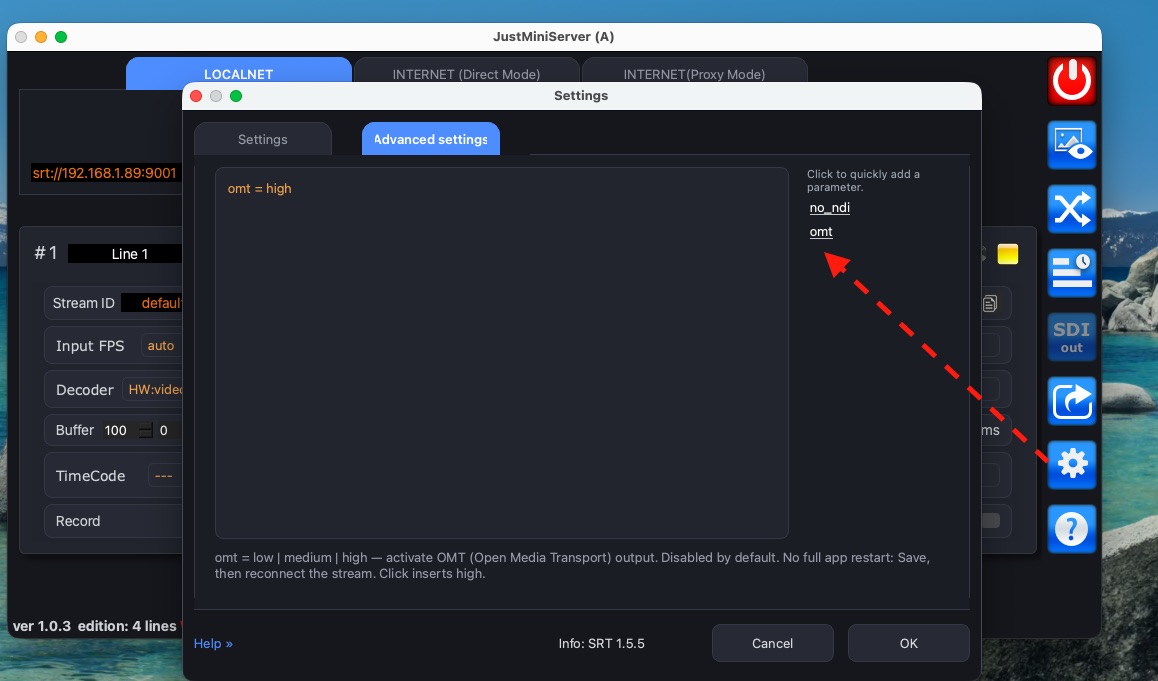
Open JustMiniServer settings. Go to the Advanced Settings tab.
Add this parameter:
omt = high
When you select OMT from the parameter cloud, JustMiniServer inserts the high profile automatically.
OMT supports three profiles:
low;medium;high.
The profile affects video quality and required bandwidth. We recommend starting with high. If your network cannot handle the stream, try medium or low.
OMT bandwidth is comparable to NDI. For one Full HD 50 fps channel, expect about 120–200 Mbps of outgoing traffic.
Save the settings. You do not need to restart JustMiniServer.
Reconnect the incoming stream
The new setting takes effect on the next connection to the line. Reconnect the stream after saving the parameter.
Suppose Line 1 receives an SRT stream from an encoder. It can come from Haivision, Magewell, Kiloview, OBS Studio, vMix, Larix Broadcaster, or LiveU Solo.
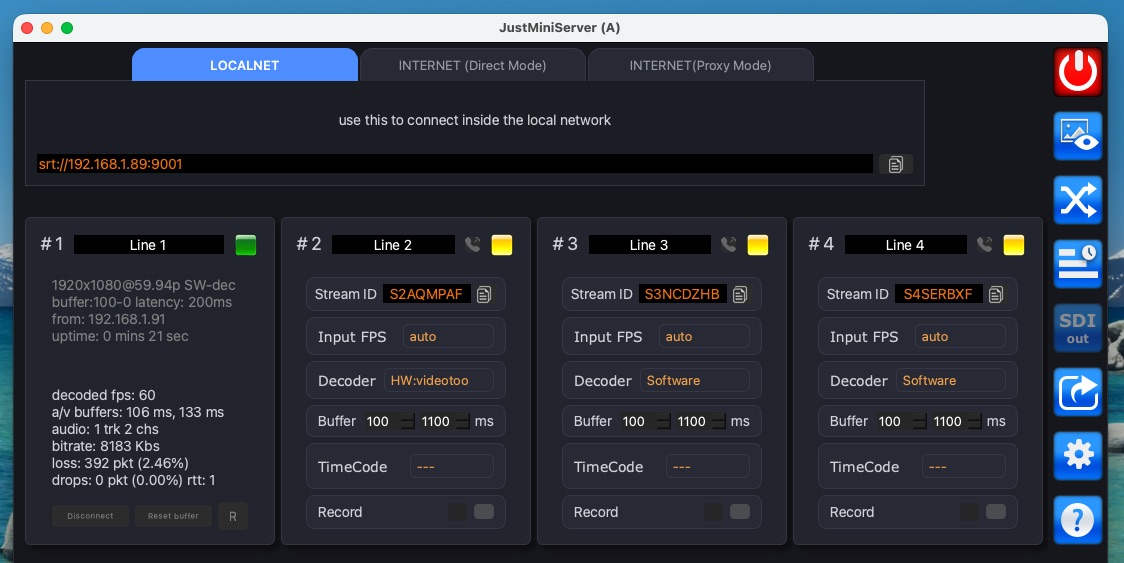
After the connection, JustMiniServer creates an OMT source. You can open it in vMix or OBS Studio.
Connect OMT in OBS Studio
OMT support is not included with OBS Studio. First, install the official OMT plugin for OBS .
The plugin requires OBS Studio 31 or newer. On macOS, download the installation package and follow the installer.
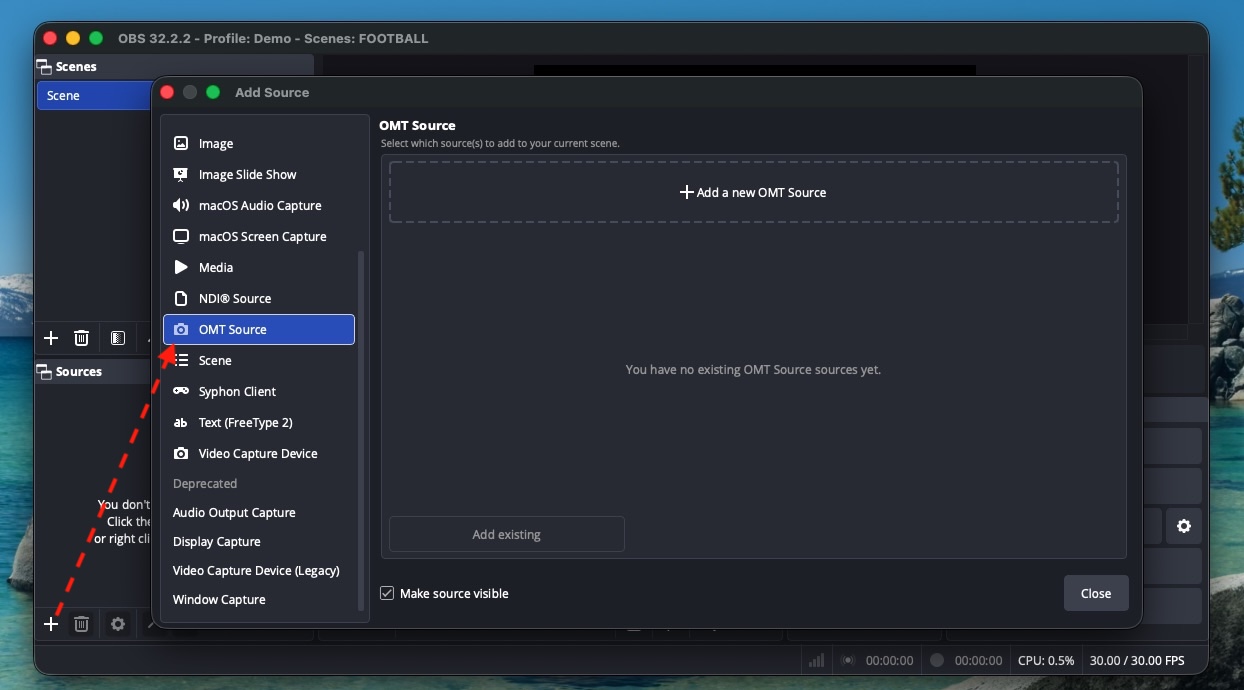
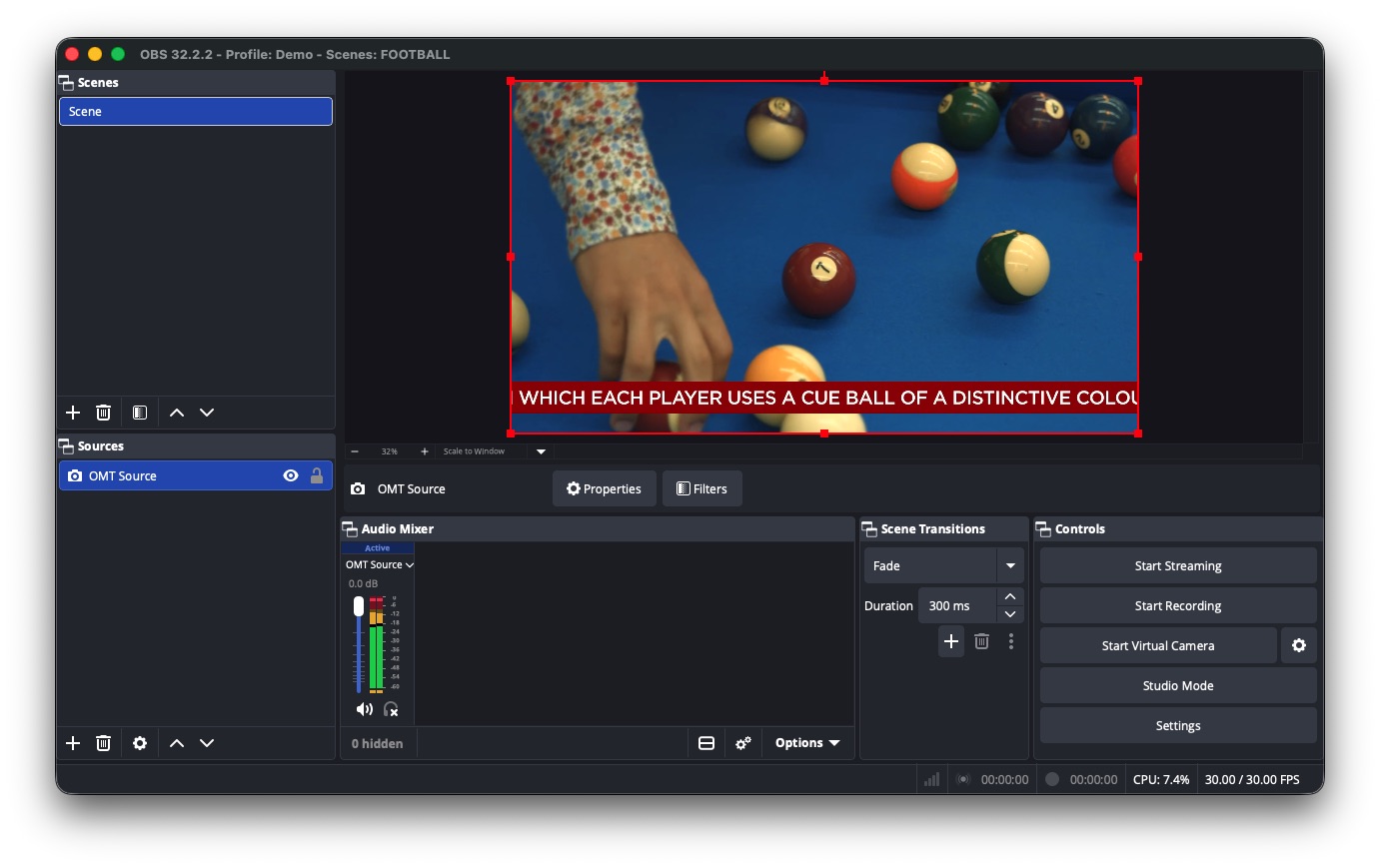
Open OBS Studio. Add a new source and select OMT Source.
Select the available JustMiniServer stream in the source properties. Then connect it.
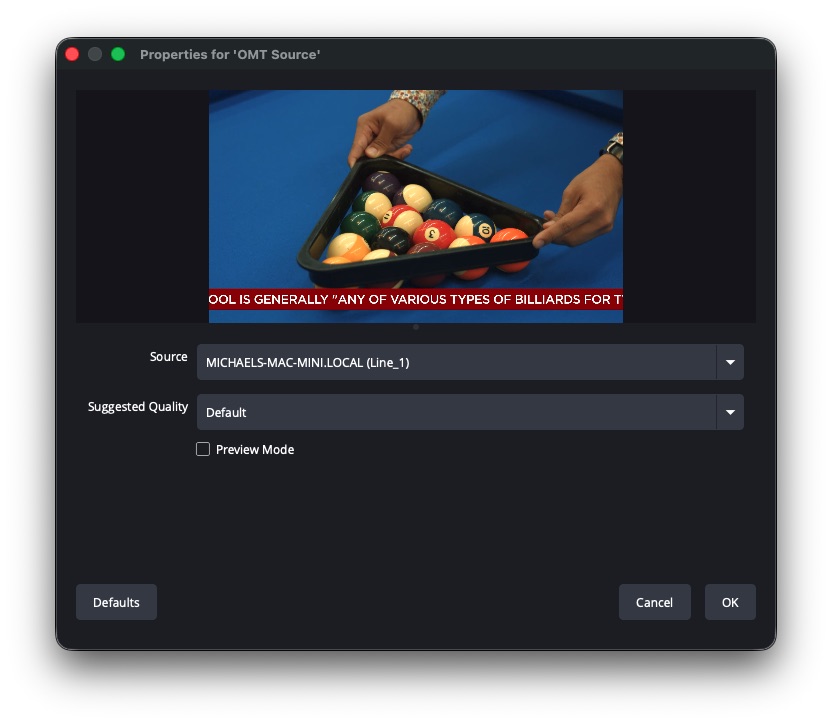
Done. The incoming stream is now available in OBS Studio through OMT.
Watch the short video
This short demo shows the complete workflow. A phone sends an SRT stream to JustMiniServer. OBS Studio receives it through OMT.