NDI Out
NDI Out Addon publishes decoded lines as NDI sources on the local network.
Open it from the NDI Out button in the right toolbar.
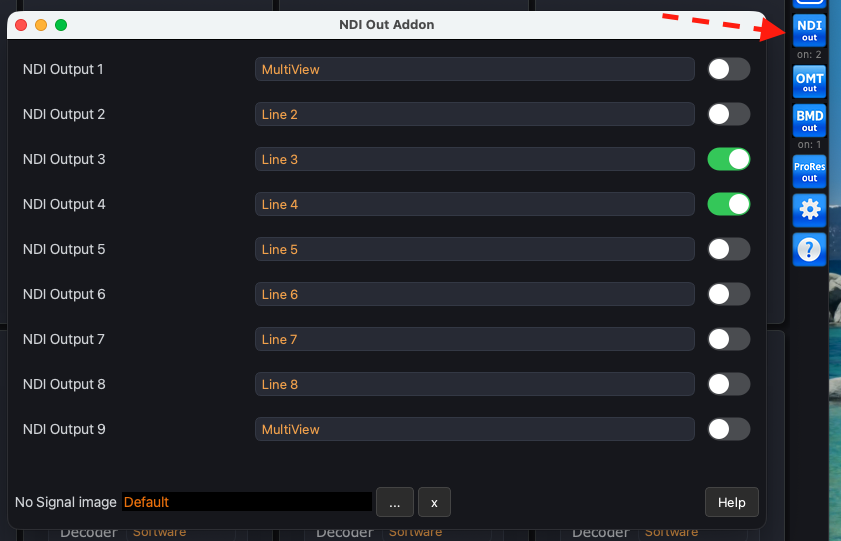
1. Choose the line
Each row is an NDI output. Pick the incoming line (or MultiView) in the combo.
Two rows may use the same line.
2. Turn the output on
Flip the toggle on the right. A NDI badge appears on the line card while that output is active.
The NDI source name follows the row (NDI Output 1, NDI Output 2, …).
No Signal image
When the selected line has no live picture, NDI Out sends a No Signal still. Press […] to pick your own image. Press [x] to return to the built-in default.