Proxy Addon
ProxyAddon is an easy way for accept signal in Studio from Location. It does not require dedicated IP and port-forwarding manipulation. Just click and use:
To use Proxy Addon follow these steps:
Run JustMiniServer and press “START” button
Navigate to the “INTERNET(Proxy mode)” tab
Select public server address in the drop-down list
Press “ON” to connect to the selected server

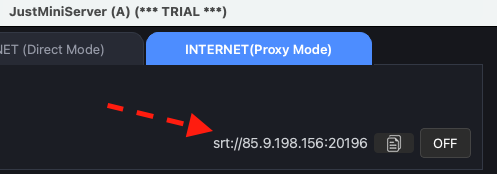
After you press ON, the proxy server assigns a port. JustMiniServer then displays the SRT address with the host and port that you can use in your encoder settings.
Using your own proxy server
We provide several public proxy servers. Because they may be under heavy load, we recommend using your own proxy server for continuous operation. You can deploy one by following our Custom Proxy Server guide .
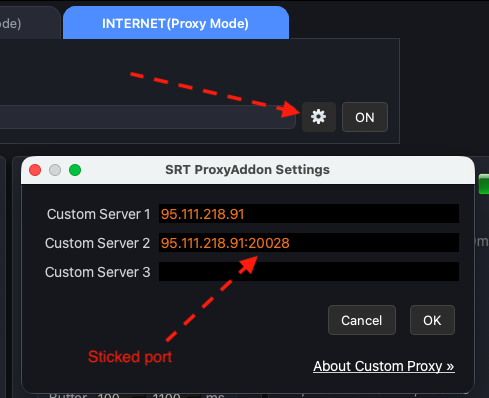
After deploying your own proxy server, click the settings button and enter its IP address in the custom proxy dialog:
Sticky port
Another advantage of using your own proxy server is the sticky port option. It allows you to choose and reserve the port in advance, so you can use the same port in your encoder settings every time. The only requirement is that the selected port must be an even number.
FAQ
What are the pros and cons of using Proxy Addon?
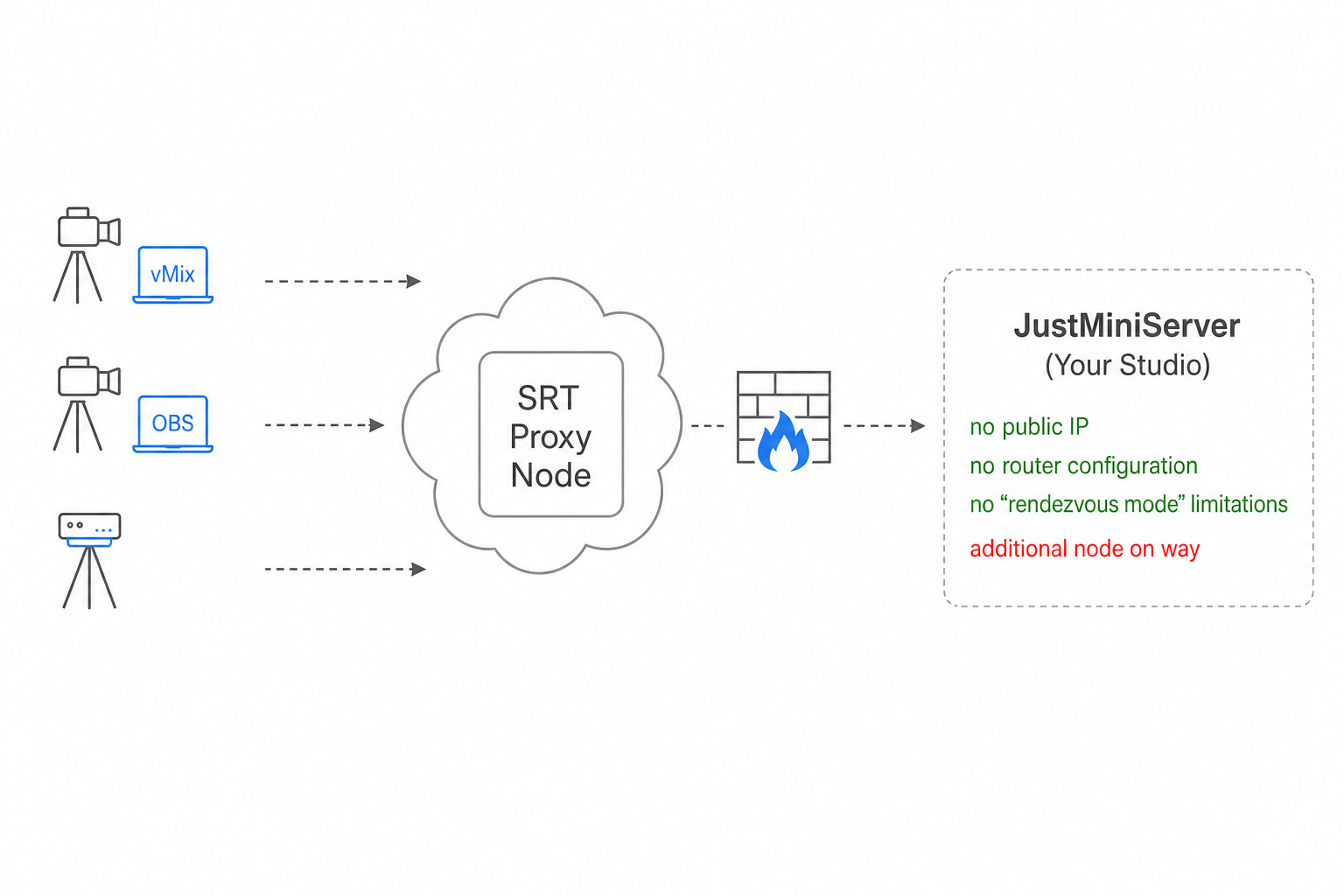
Pros: You do not need a dedicated public IP or port forwarding. This makes Proxy Addon especially useful when your studio’s receiving computer connects to the internet via LTE, 5G, or Starlink. For example, your studio may be on a ship and connected via Starlink while you need to receive incoming feeds from reporters.
Cons: The proxy workflow has three participants — Publisher → Proxy Server → Studio — instead of the two used by a direct connection: Publisher → Studio.
Does using a proxy increase latency?
In our tests, we did not observe any noticeable increase in latency. In practice, a proxy server works like another router in the network path.
Our studio has a dedicated IP. Can Proxy Addon still be useful?
Yes. If your publisher is in another country or region, a nearby proxy node can help solve “first mile” connectivity issues. See this detailed explanation .
Why am I receiving someone else’s stream?
Our public proxy servers assign a random port from a shared pool and may reuse it after a Proxy Addon session ends. If another user previously had the same port and uses the same Stream ID — for example, the default streamkey1ABC for Line 1 — you may receive their stream. Treat the Stream ID as an access key.
Change your Stream ID to a unique value.
For the most reliable setup, deploy your own proxy server by following our Custom Proxy Server guide .