Pre-Release
Notes for release candidates. This build is not on the public Download button. When it ships, the same story moves to Release Notes .
1.1 Release Candidate A (download)
23 October 2026 · based on 1.0.4
Independent output addons
All outputs are now independent addons. Turn on only what you need — each one is its own window and process.
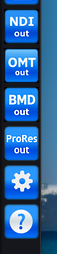
- NDI Out — send a line over NDI. (more »)
- OMT Out — send a line over OMT (always on the toolbar, no Advanced flag). (more »)
- BMD Out — DeckLink / SDI output (was SDI Out). (more »)
- ProRes Out — record a line (or MultiView) to an Apple ProRes
.movon disk. (more »)
MultiView Line
Besides sending any regular line to an output, there is MultiView Line — a special source that builds a mosaic from all lines.
You see that mosaic in the Preview window. You can also send it to any available output: NDI, OMT, BMD (DeckLink), ProRes, and so on.
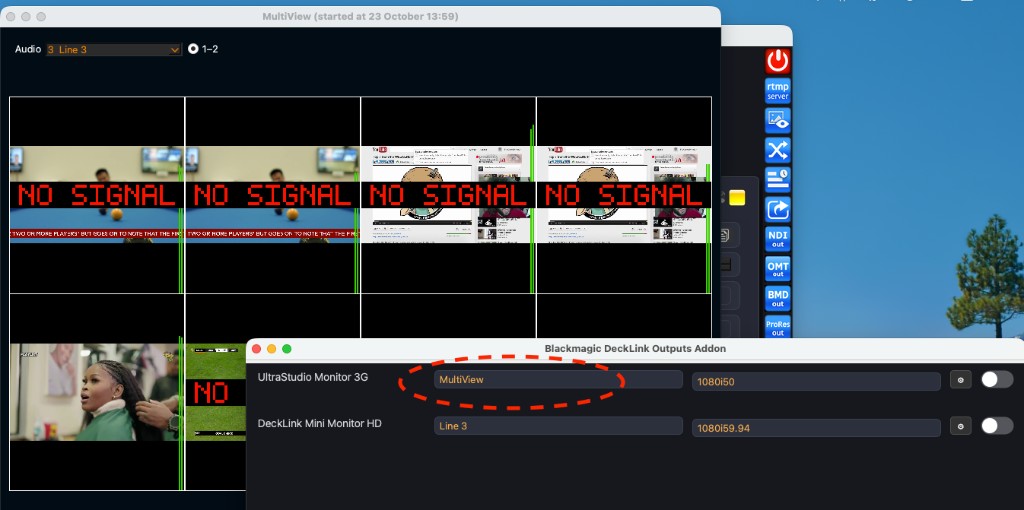
(more »)
ProRes Out
New addon: record each line (or MultiView) to Apple ProRes. Pick an output folder, choose the profile, and split files by length — including a rolling max so older segments are removed. Audio is written as stereo-pair tracks.
Encoding uses Apple’s own stack on the Mac — so yes, this is true ProRes.
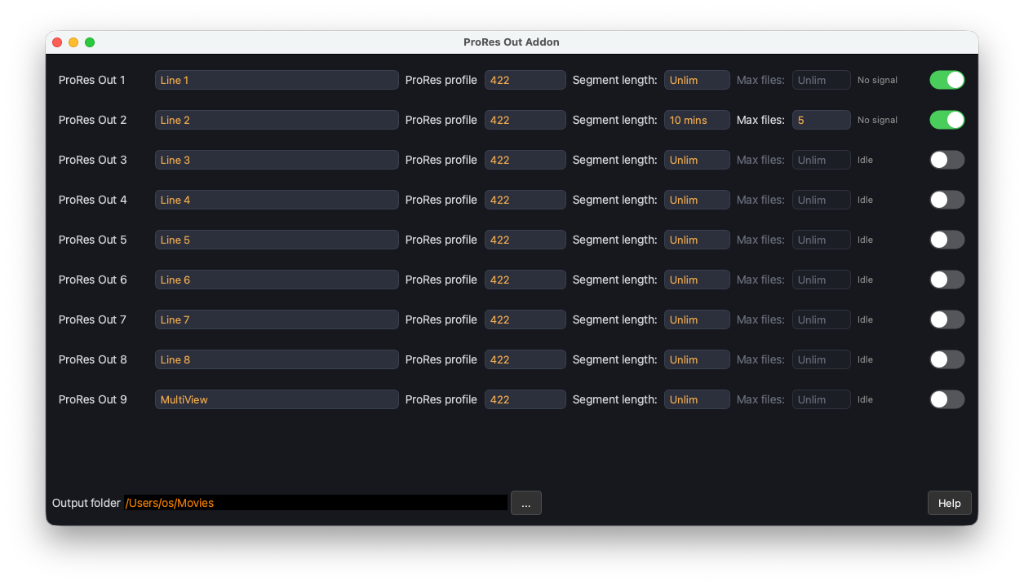
(more »)
BMD Out — Output Filters
DeckLink output gained Output Filters on each row:
- Quadrant — crop one quarter of the frame into the chosen SDI mode
- Audio Channels — pick which input channels go out, in order
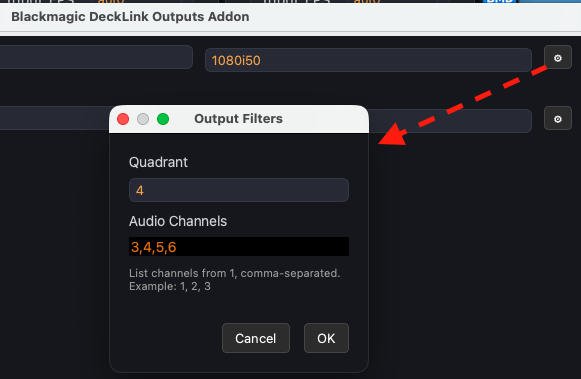
(more »)
Receive and proxy
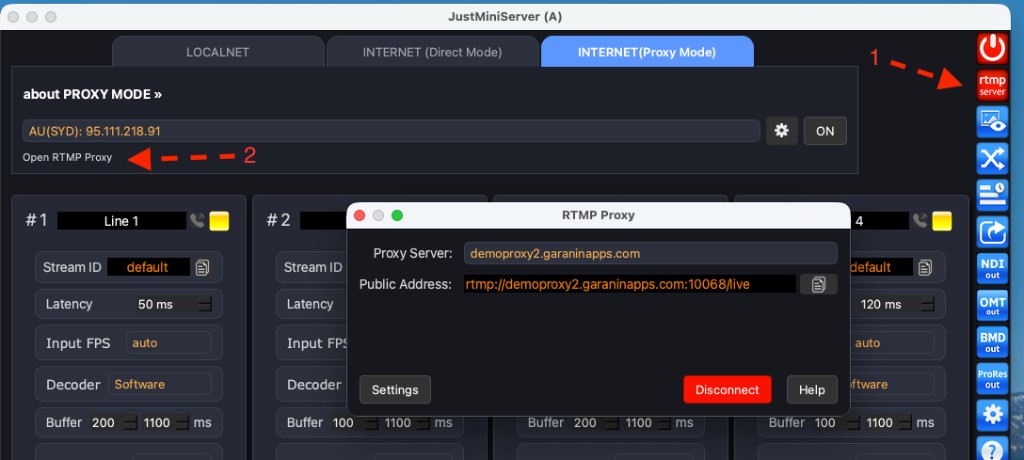
- RTMP Proxy — when the Mac has no public IP, RTMP-only encoders (e.g. Teradek) publish to a proxy; JustMiniServer takes the session into RTMP Server. The Open RTMP Proxy control appears once RTMP Server is on. Closing the dialog does not disconnect. (more »)
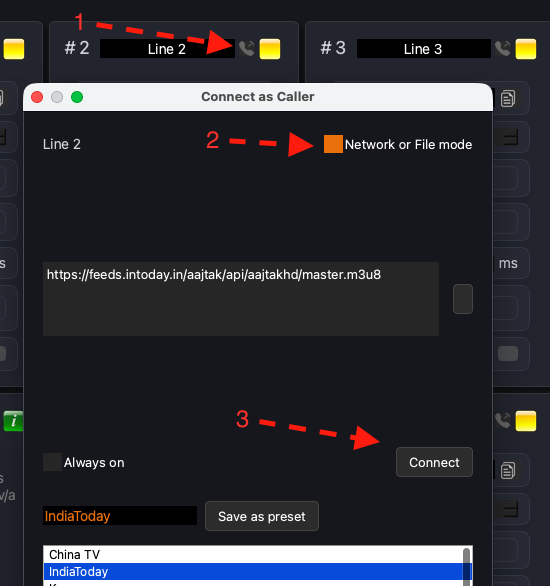
- HLS / RTMP Call (pull) — pull those sources onto a line, not only SRT. Save frequently used addresses as presets to switch between them quickly.
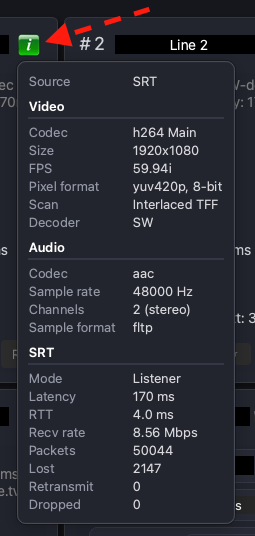
- Line i — passport / info on the card, same idea as SRTMiniServer
Fixes
Many stability and A/V fixes across receive, DeckLink, NDI, and the main UI.